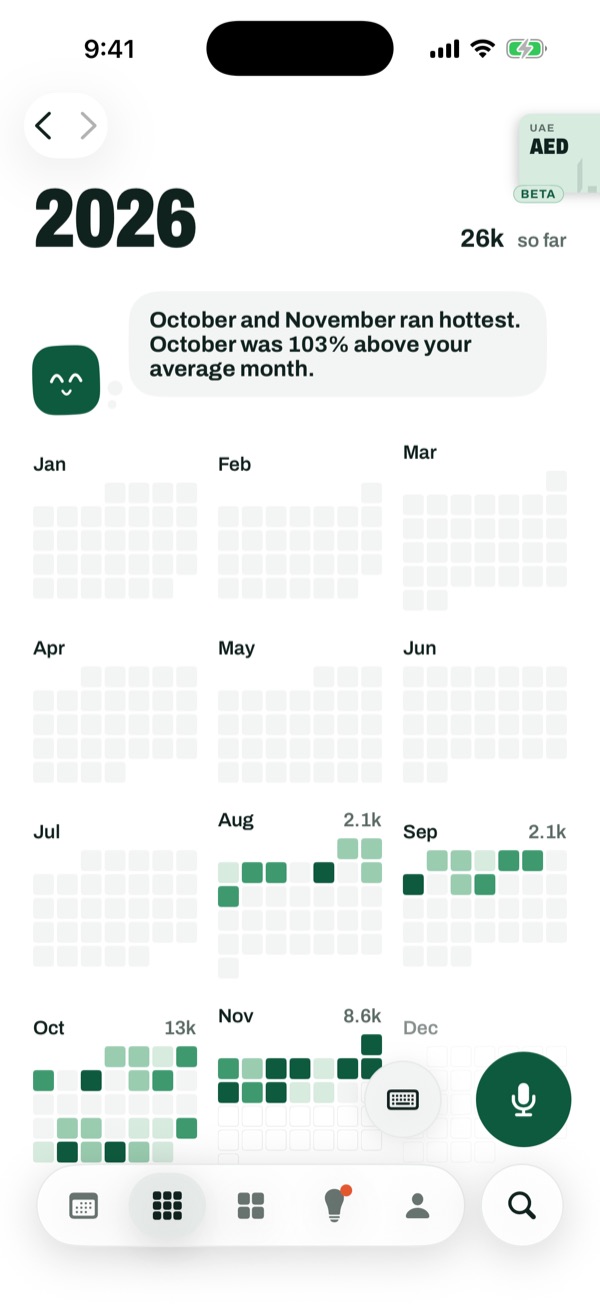
Your month
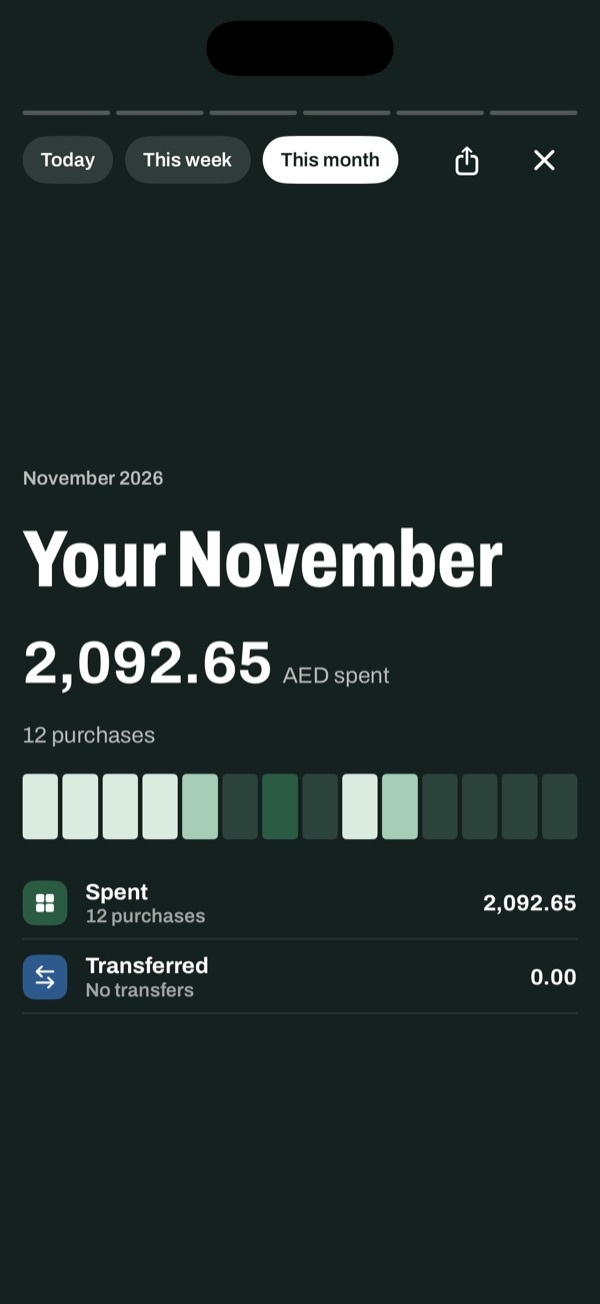
Your month, at a glance.
Every day is a square. The darker it is, the more you spent.
Get Ledger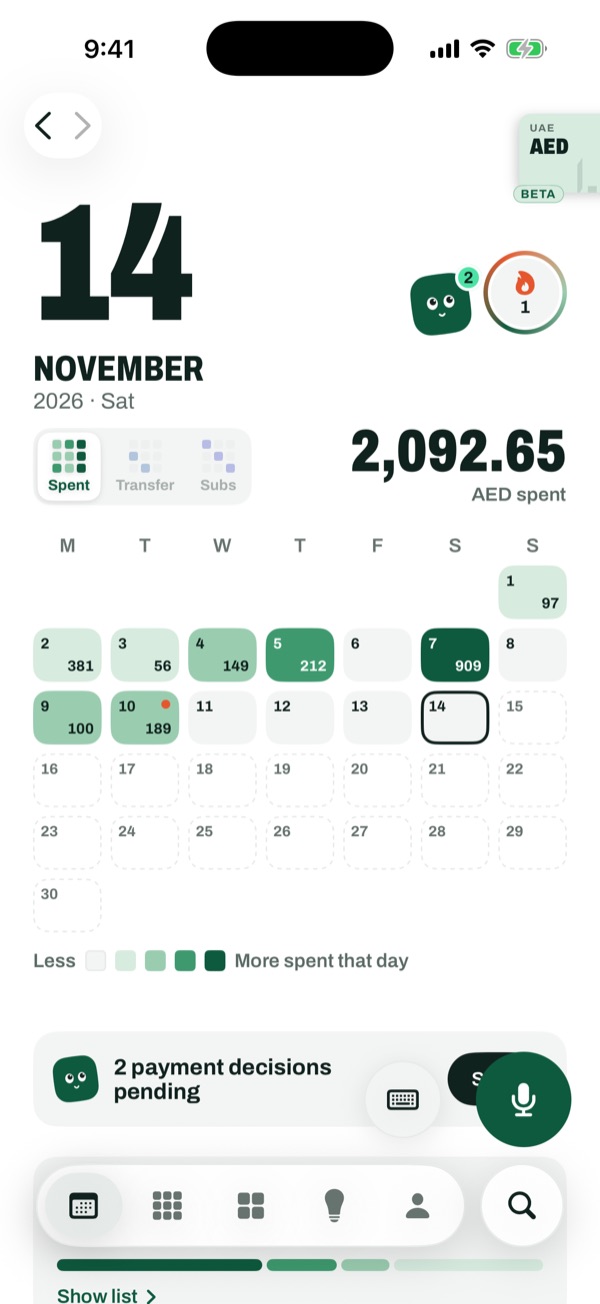
Why we built it
A list of payments doesn't tell you much. You scroll, and nothing sticks.
We wanted a picture you understand in one second.
So we used a calendar: heavy days stand out, quiet days stay calm.
How it works
-
Open Ledger
Your month, square by square.
-
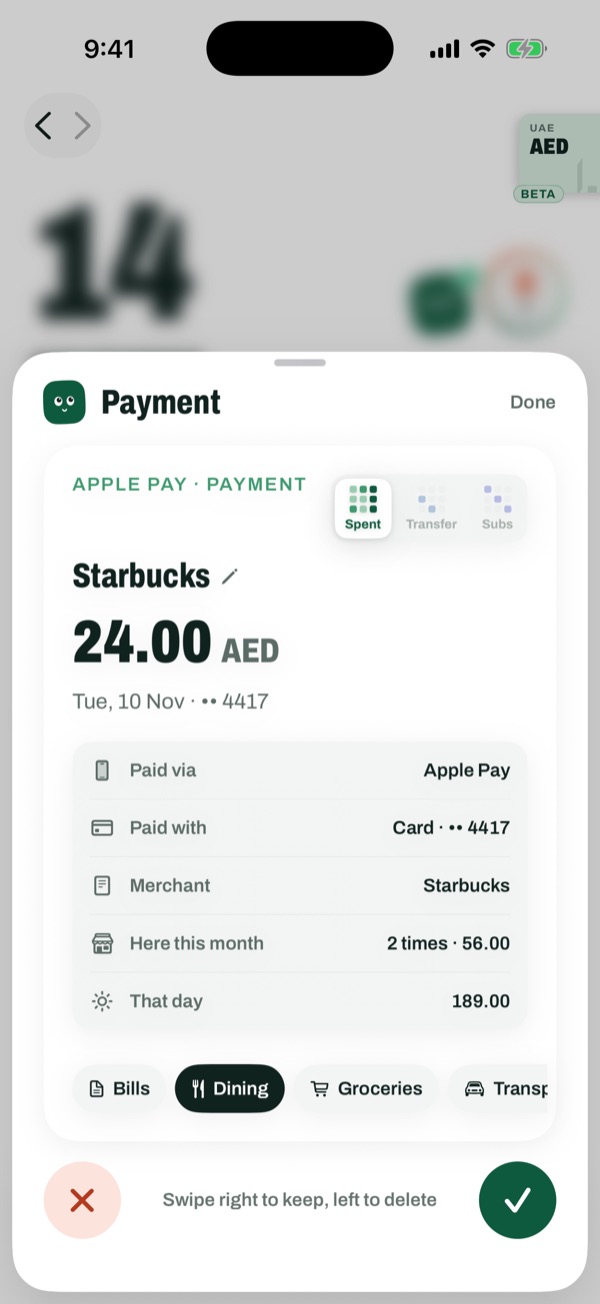
Tap a dark day
Every payment from that day.
-
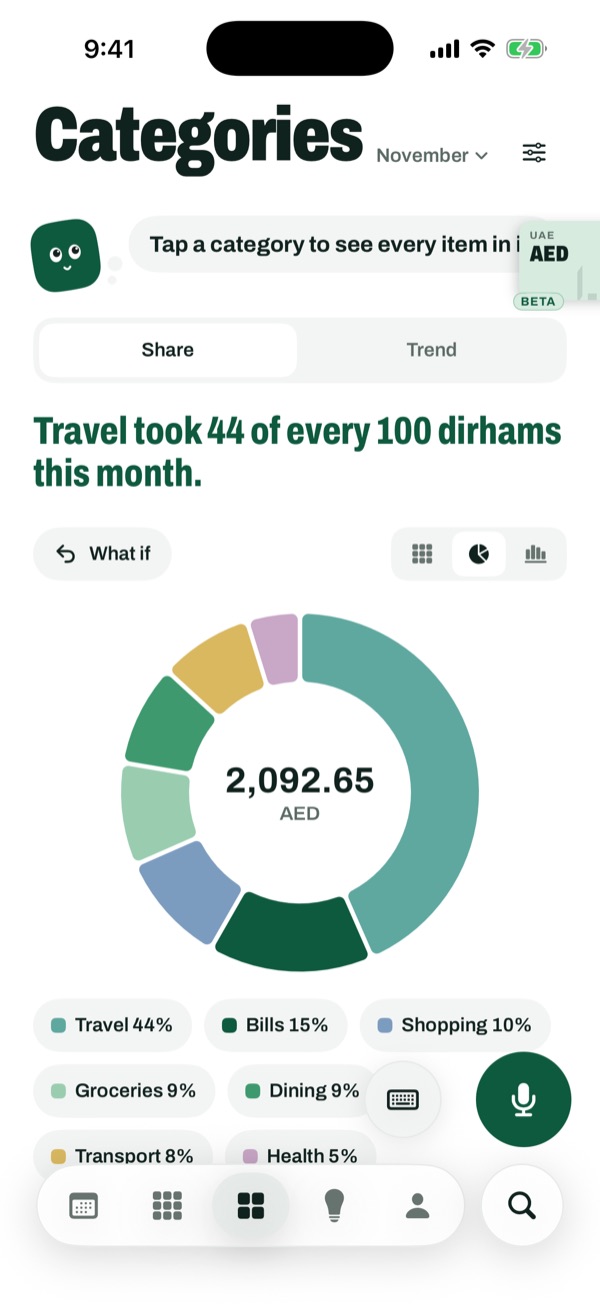
Open Groups
Where the month went, by category.
-
An evening recap
Your day, summed up.
What you get
- The month calendar
- Categories with your own rules
- A year view
- Search
- Widgets