Why student money slips away
Nothing big goes out. It's AED 12 here and AED 18 there, cash leaves no trace, and a free trial quietly turns into a monthly charge.
Ledger fills in card payments from your bank texts by itself. These tips cover the rest.
Paid cash? Say it
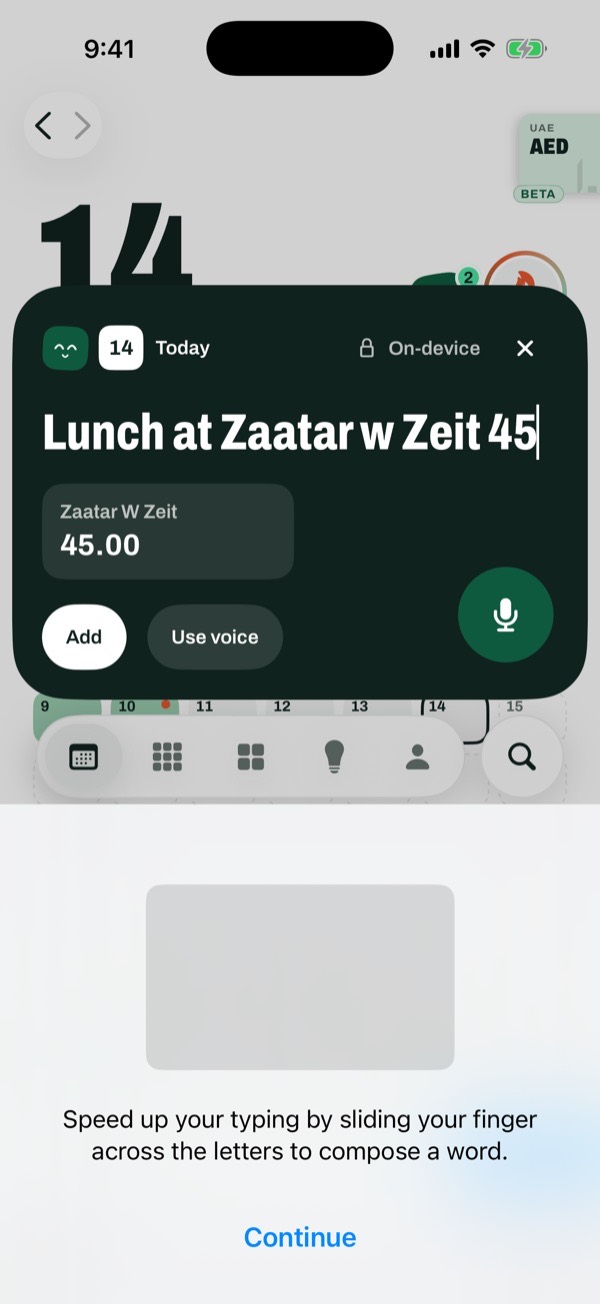
Hold the mic and say "Shawarma 12". Ledger turns it into an expense on your phone. Got one wrong? Say "delete coffee 18" and swipe it away. Voice is in English for now, and you can always type instead.
Pick your real plan
Tell Ledger what you pay for in a few taps, then pick your plan. Student plans are there with their official price, so Spotify reads AED 12.99, not 23.99. The real charge takes over when it arrives.
A week's notice before renewals
A week before a subscription renews, Tally asks if you still use it, with Keep and Cancel. Cancel opens the service's own page.
Take on a challenge
Spend less on a category, save an amount or keep no-spend days, and earn a badge when you make it. Ledger shows how many people are on the same challenge this week.
Money from home shows as Received
Money a parent sends you shows under Transfer as Received, with a green plus. It never counts as spending, so your month stays about what you spent.
Split dinners and the flat
A Split group for dinners and outings, or for a shared home, keeps the tab. Friends join with your link, and you remind them yourself. Split is part of Ledger Plus, free for now.
Set it up in 3 steps
- Install Ledger, pick your country and banks. It's free.
- Turn on capture: one Shortcuts automation on iPhone, or SMS access on Android.
- Add the subscriptions you pay for and start a first challenge.
Questions
Is it really free?
Yes. Ledger is free, and Ledger Plus (Split, Deals and more) is free for now.
Do I need a bank login?
No bank login. Your bank texts and spending stay on your phone.
My bank doesn't text me. Can I still use it?
Yes. Add payments by voice or keyboard, or import a statement as a CSV or text PDF.
Keep spending. Ledger remembers the rest.
Ledger is the smart saver for the UAE, Saudi Arabia, India and Pakistan, on iPhone and Android. Free. No bank login. Your bank texts and spending stay on your phone.